
Whether you're issuing employee badges, student IDs, or membership cards, building an in-house ID card printing setup is one of the most efficient ways to control security, branding, and costs. The good news? You don’t need a complex system to get started—but you do need the right combination of hardware, software, and supplies working together.
Below is a complete breakdown of everything you need to print professional ID cards, along with product highlights, best practices, and FAQs.
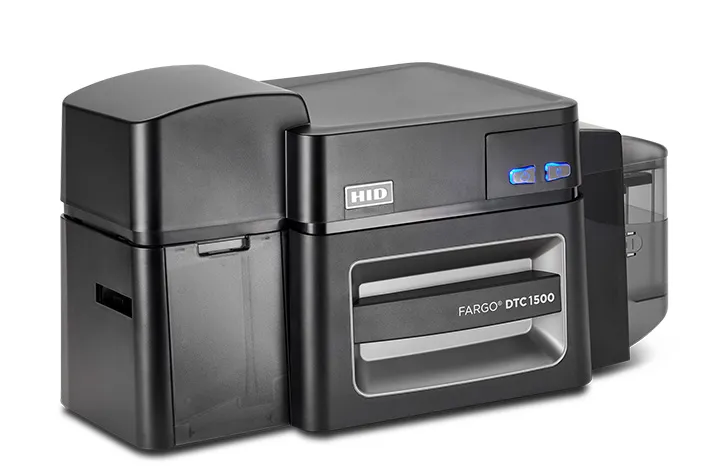
1. ID Card Printer (The Foundation of Your System)
An ID card printer is the core of your setup. These printers are specifically designed to print on plastic PVC cards using specialized ribbons and encoding technologies.
What to Look For:
- Single-sided vs. dual-sided printing
- Print technology (direct-to-card vs. retransfer)
- Security features (password protection, encryption)
- Volume capacity (low, mid, high-volume environments)
Featured Printers
Fargo DTC1500 XE
A secure, mid-to-high volume printer designed for organizations that prioritize data protection and scalability. It offers password protection, AES encryption, and high-capacity ribbons—ideal for corporate environments and government use. View DTC1500 XE printers >>
Fargo DTC1250e
A compact, entry-level printer perfect for small businesses, schools, and startups. It’s easy to use, affordable, and delivers reliable, high-quality printing for lower-volume needs. View DTC1250e printers >>
Entrust Sigma SL3
A next-generation printer built for cloud-connected environments. It features mobile-friendly management, advanced security, and seamless integration into modern IT ecosystems. View Sigma Series printers >>
Evolis Primacy
Known for its speed and flexibility, the Primacy is ideal for organizations needing fast issuance and the option to scale with encoding technologies like RFID or smart cards. View Primacy printers >>
Authentis ID Card Printer
A dependable, budget-friendly option that balances performance and simplicity, making it a great fit for organizations just getting started with ID issuance. View Authentis printers >>

2. ID Card Software (Design & Database Management)
Software is what transforms your printer into a complete ID issuance system. It allows you to design badges, manage user data, and control printing workflows.
Featured Solution: CloudBadging ID Card Software
CloudBadging is a cloud-based platform that simplifies ID card creation and management.
Key Benefits:
- Web-based access (no installation required)
- Easy badge design with templates and drag-and-drop tools
- Secure database management for employee or student records
- Scalable for single-site or multi-location organizations
Cloud-based software also supports remote badge issuance, making it ideal for distributed teams or hybrid work environments.
3. Printer Ribbons (What Actually Prints the Image)
Ribbons are essential consumables that transfer color and images onto your cards.
Common Ribbon Types:
- YMCKO – Full-color printing with overlay protection
- YMCKOK – Dual-sided printing (color front, black back)
- Monochrome (K) – Black-only printing for text or barcodes
What to Consider:
- Yield (how many cards per ribbon)
- Compatibility with your printer
- Print quality requirements
Choosing the right ribbon directly impacts cost per card and durability.

4. Blank ID Cards (Your Canvas)
ID cards are typically made of PVC or composite PVC, and come in several variations depending on your needs.
Card Types:
- Standard PVC cards – Most common and cost-effective
- Composite cards – More durable, better for lamination
- Magnetic stripe cards – Used for swipe access
- RFID/contactless cards – Enable tap-based access control
Pro Tip: If your organization uses access control, choose cards that support RFID or smart chip technology to future-proof your system.
5. Cleaning Kits (Protect Your Investment)
Regular maintenance is critical to extending the life of your printer and maintaining print quality, and that is where badge printer cleaning kits come into play.
Why It Matters:
- Removes dust and debris from printheads
- Prevents streaking or faded prints
- Reduces costly repairs and downtime
- Most manufacturers recommend cleaning after every ribbon change.

6. Badge Holders & Accessories (Everyday Usability)
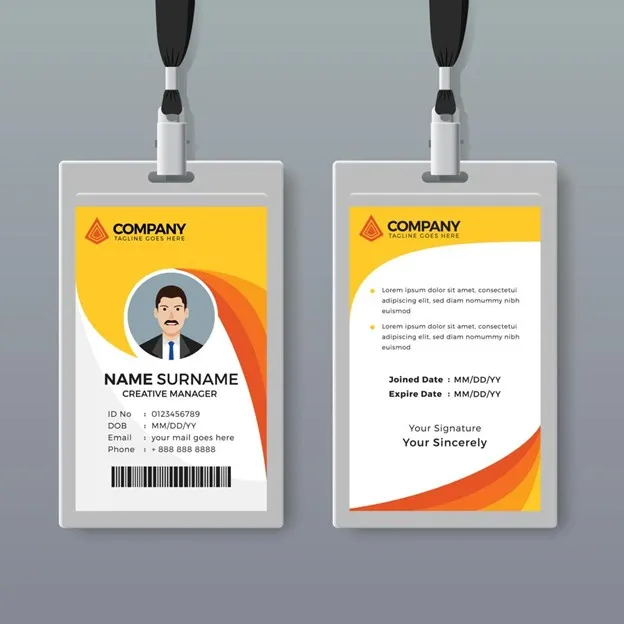
Once cards are printed, they need to be worn and protected. A multitude of badging accessories exist to conveniently and effectively hold and display ID badges and access control cards.
Common Accessories:
- Lanyards
- Badge reels (retractable clips)
- Rigid or flexible badge holders
- Clips and strap attachments
These not only protect the card but also improve visibility and convenience for users.
7. Access Control Add-Ons (Extending Your ID Program)
ID cards often play a role beyond identification—they can also facilitate access control to buildings, systems, and resources.
Key Components:
- RFID card readers
- Mobile credential readers (smartphone-based access)
- Biometric or multi-factor authentication systems
This is where ID cards become part of a broader security and identity ecosystem, helping organizations secure people, assets, and locations.
Frequently Asked Questions
What do I need to start printing ID cards?
At minimum: an ID card printer, software, blank cards, and ribbons. Optional items include accessories, cleaning kits, and encoding tools.
How much does it cost to print ID cards in-house?
Costs vary, but most organizations see lower per-card costs over time compared to outsourcing—especially at higher volumes.
What is the difference between direct-to-card and retransfer printing?
Direct-to-card prints directly on the card surface, while retransfer prints onto a film that is then applied to the card—resulting in higher image quality and edge-to-edge printing.
How long do ID cards last?
Standard PVC cards last 1–3 years depending on use. Composite cards and laminated cards last longer.
Do I need special software to design ID cards?
Yes. ID card software like CloudBadging allows you to design, store data, and manage printing efficiently.
How often should I clean my ID card printer?
Typically after every ribbon change or every 1,000 prints, depending on usage and environment.
Can ID cards be used for access control?
Yes. RFID or smart cards can integrate with access control systems for secure entry and authentication.
Conclusion
Printing ID cards in-house gives organizations greater control over security, branding, and operational efficiency—but success depends on having the right mix of components. From selecting the right printer and software to choosing the appropriate ribbons, cards, and accessories, each element plays a critical role in delivering consistent, high-quality results.
As ID programs evolve, many organizations are also expanding beyond simple identification—integrating access control, mobile credentials, and advanced security features. By building your system with flexibility in mind, you can ensure your ID solution not only meets today’s needs but scales for the future.